Personify Life holds the things most people scatter across a dozen apps and a drawer: tasks and reminders, your calendar, contacts and calls, notes, a daily diary, important documents, bills, budgets and savings. They live together, and where it helps they are connected — a task can call someone for you, a note can link to the people and events it is about.
It works completely offline. There is no account to create and no server to sign in to: everything is stored in the app's own private storage on your phone. The parts that matter most can go into a Vault and be encrypted with a password only you know.
/ A look inside
See Personify
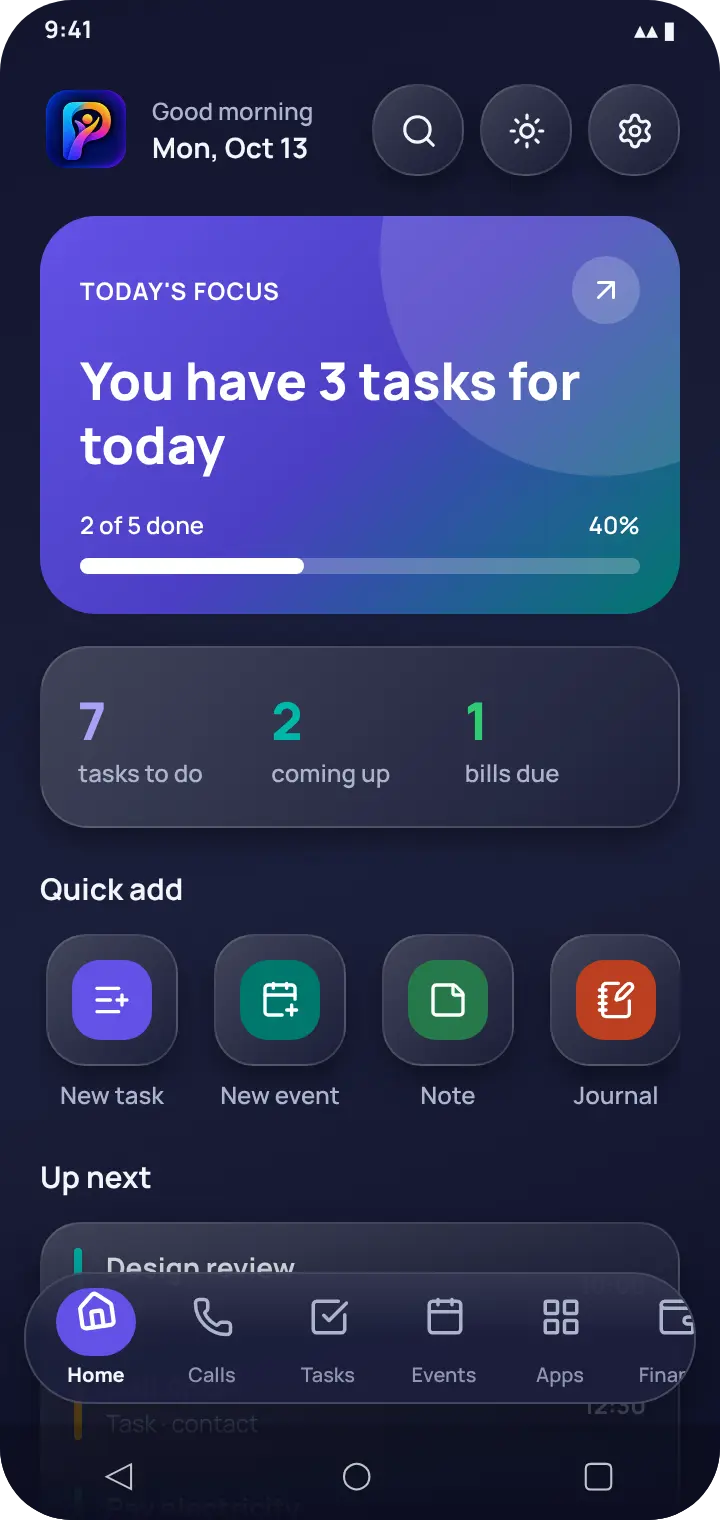
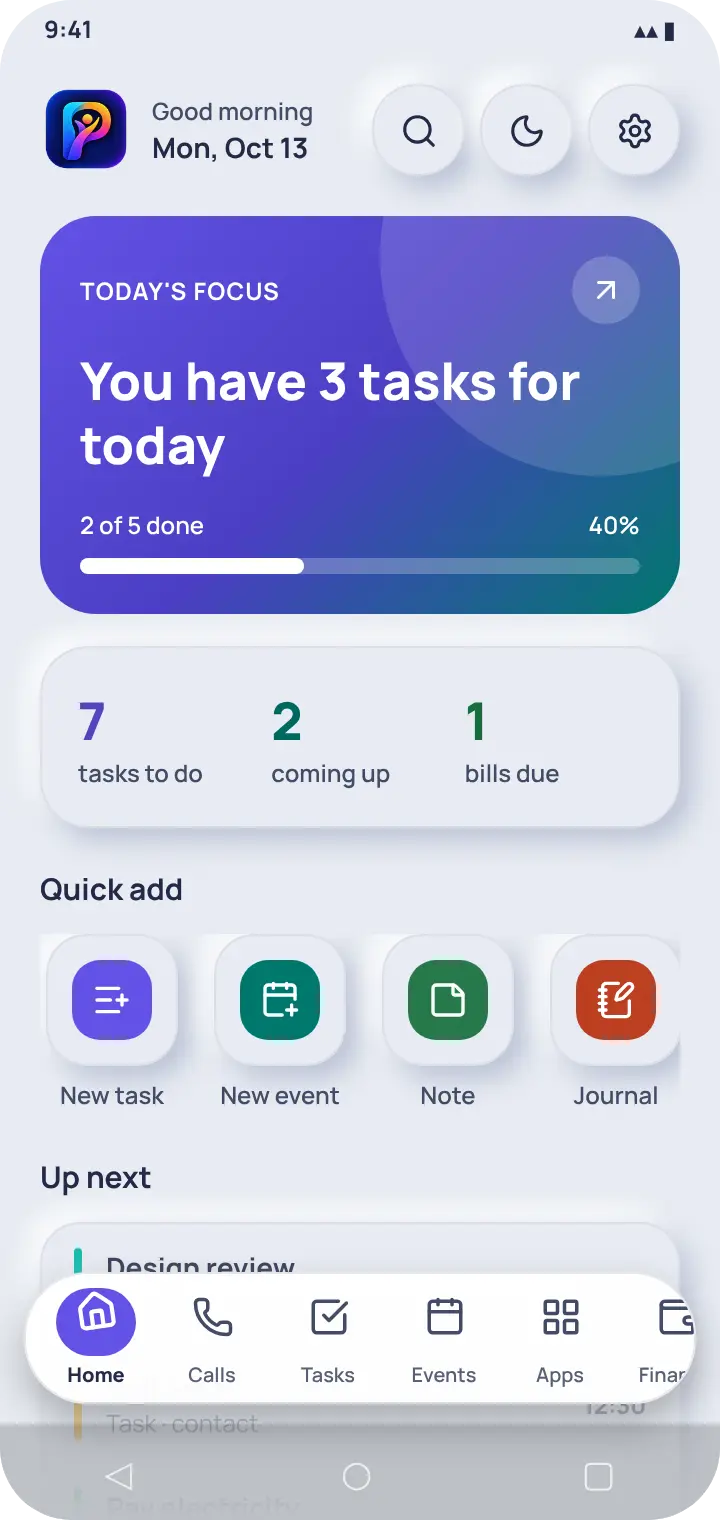
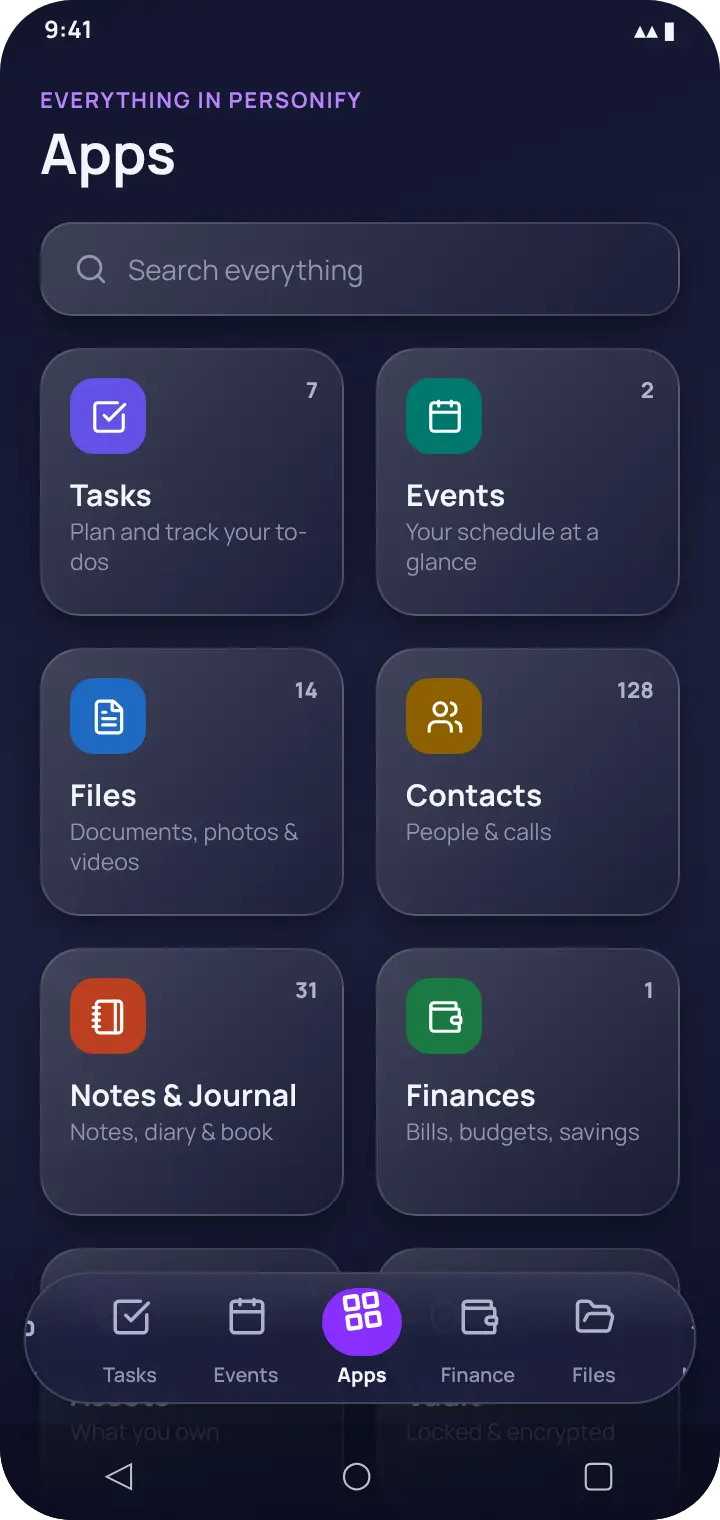
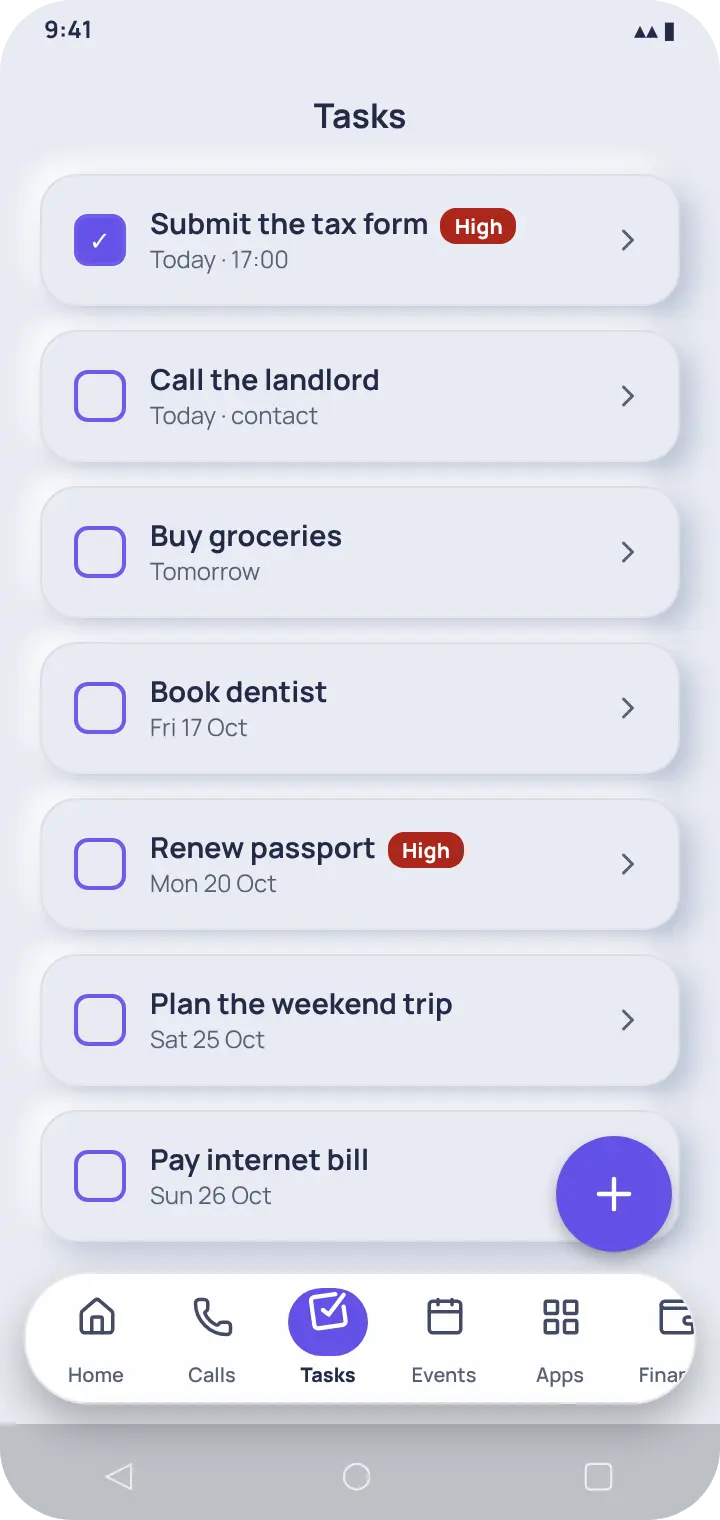
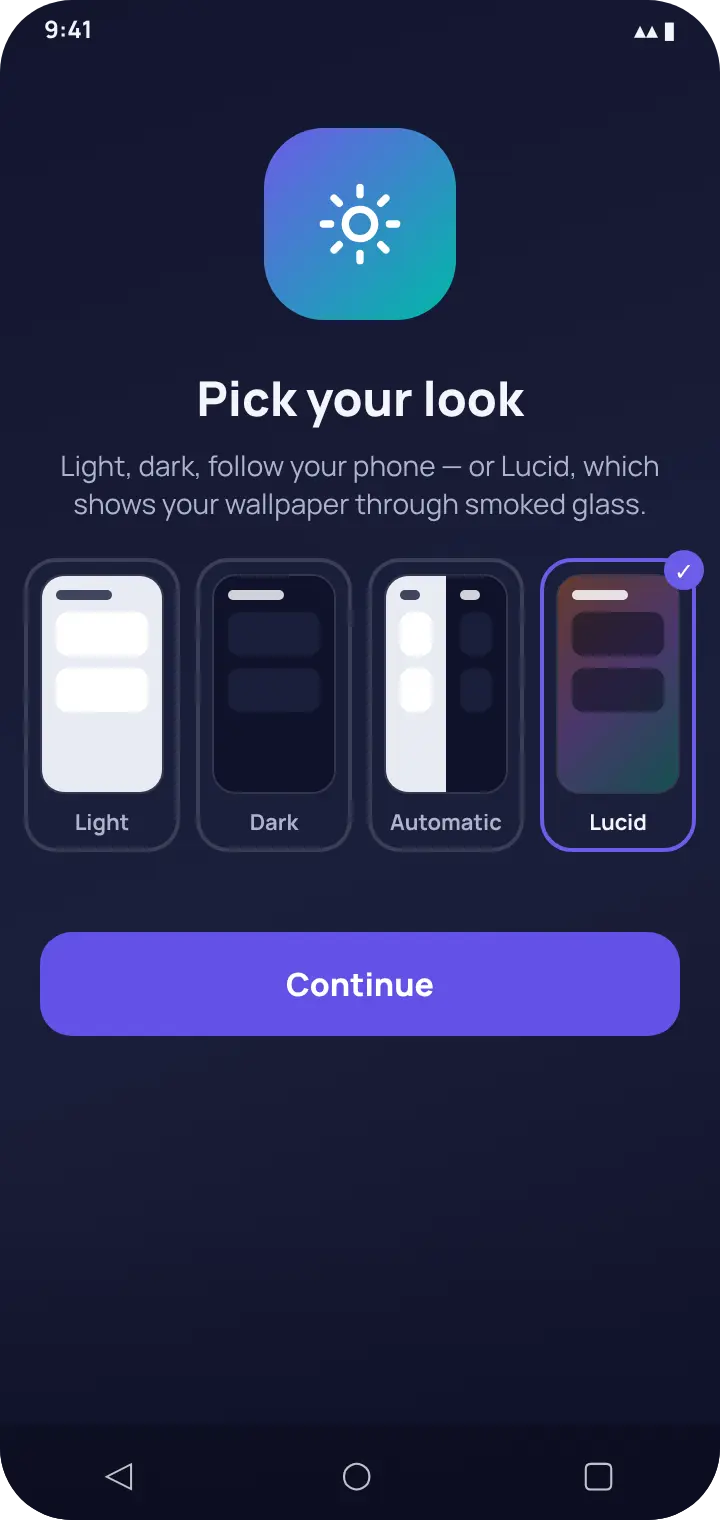
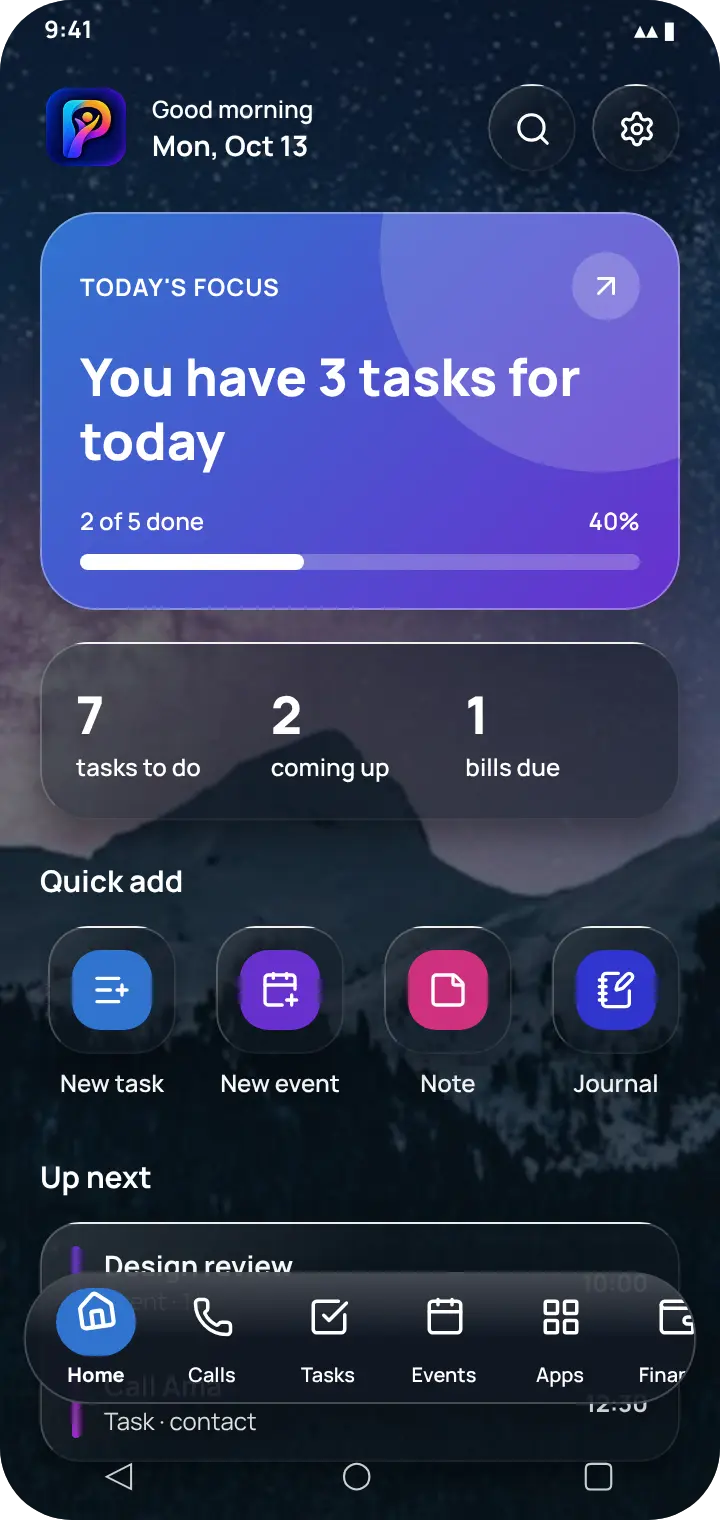
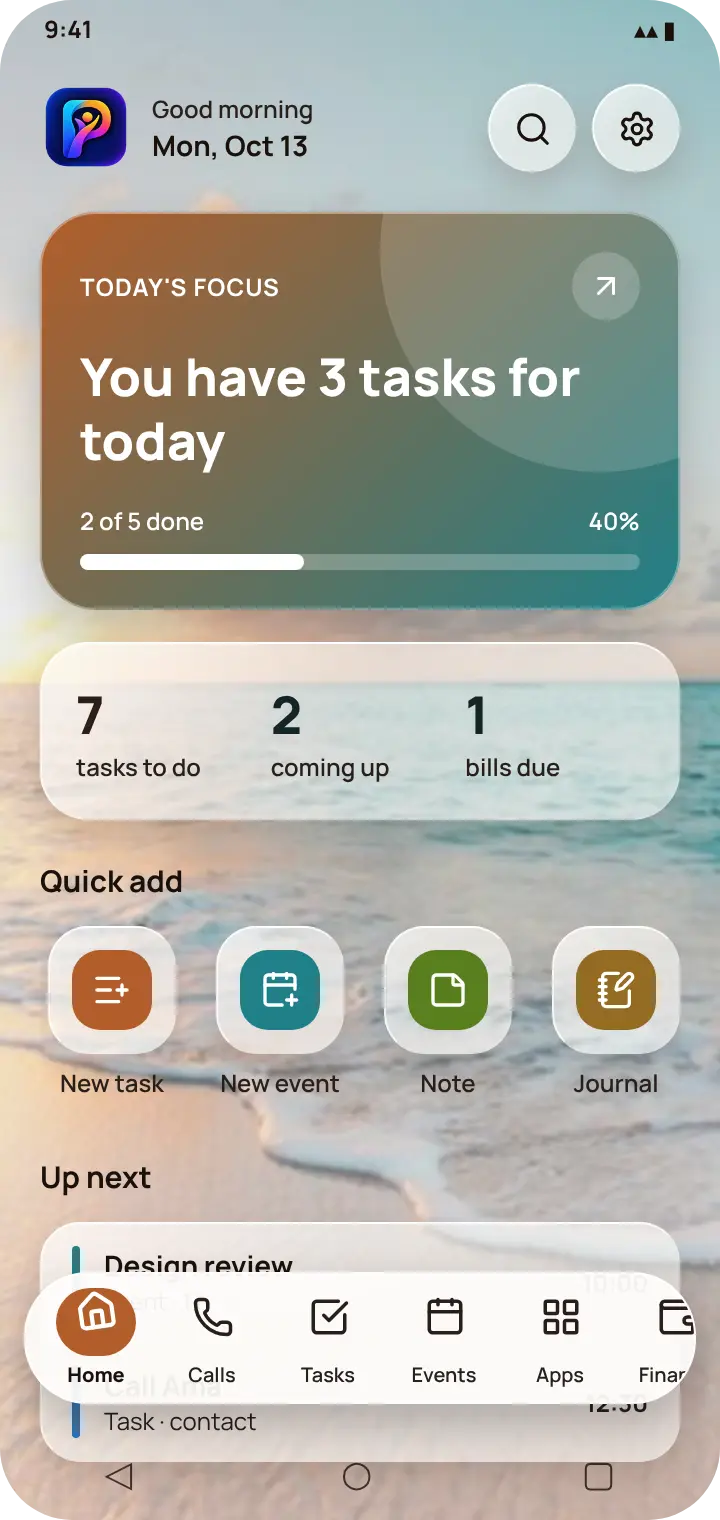
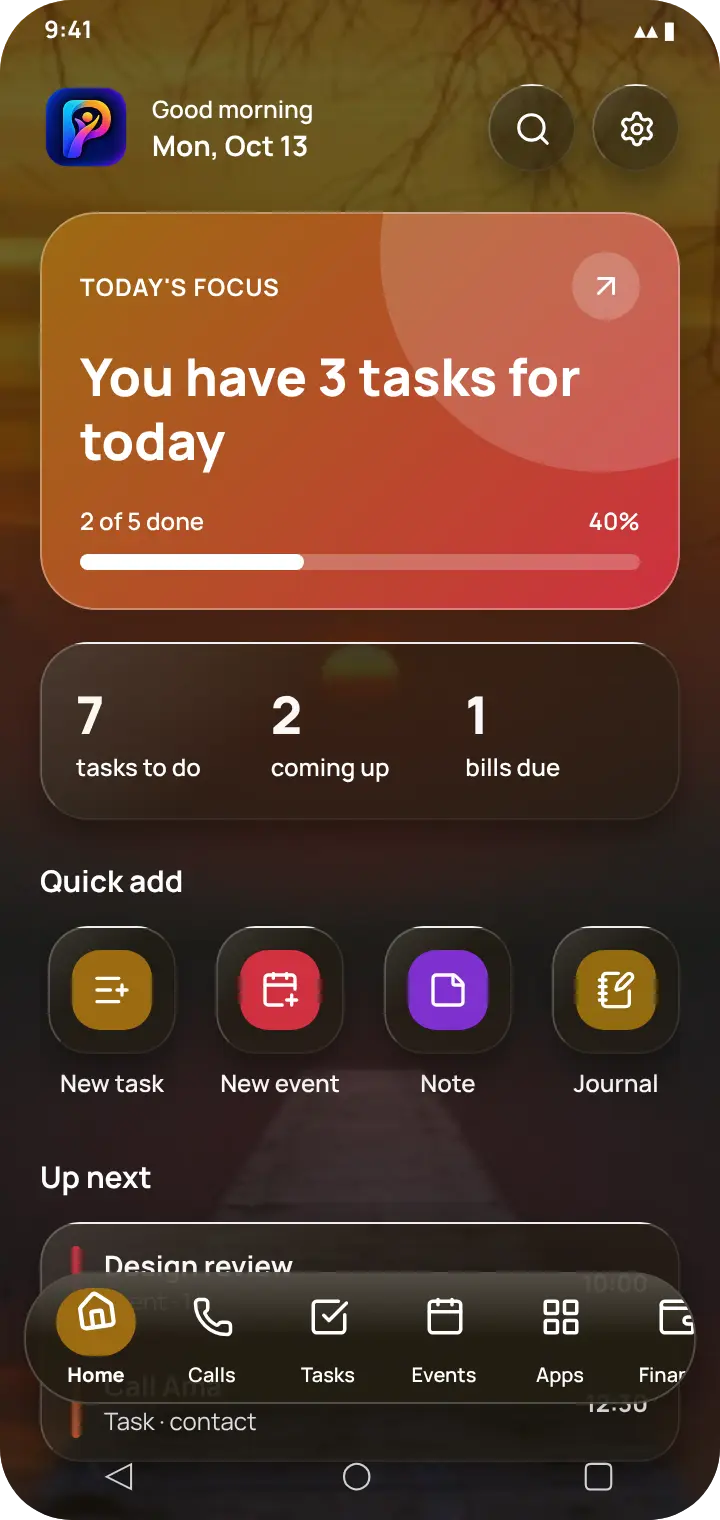
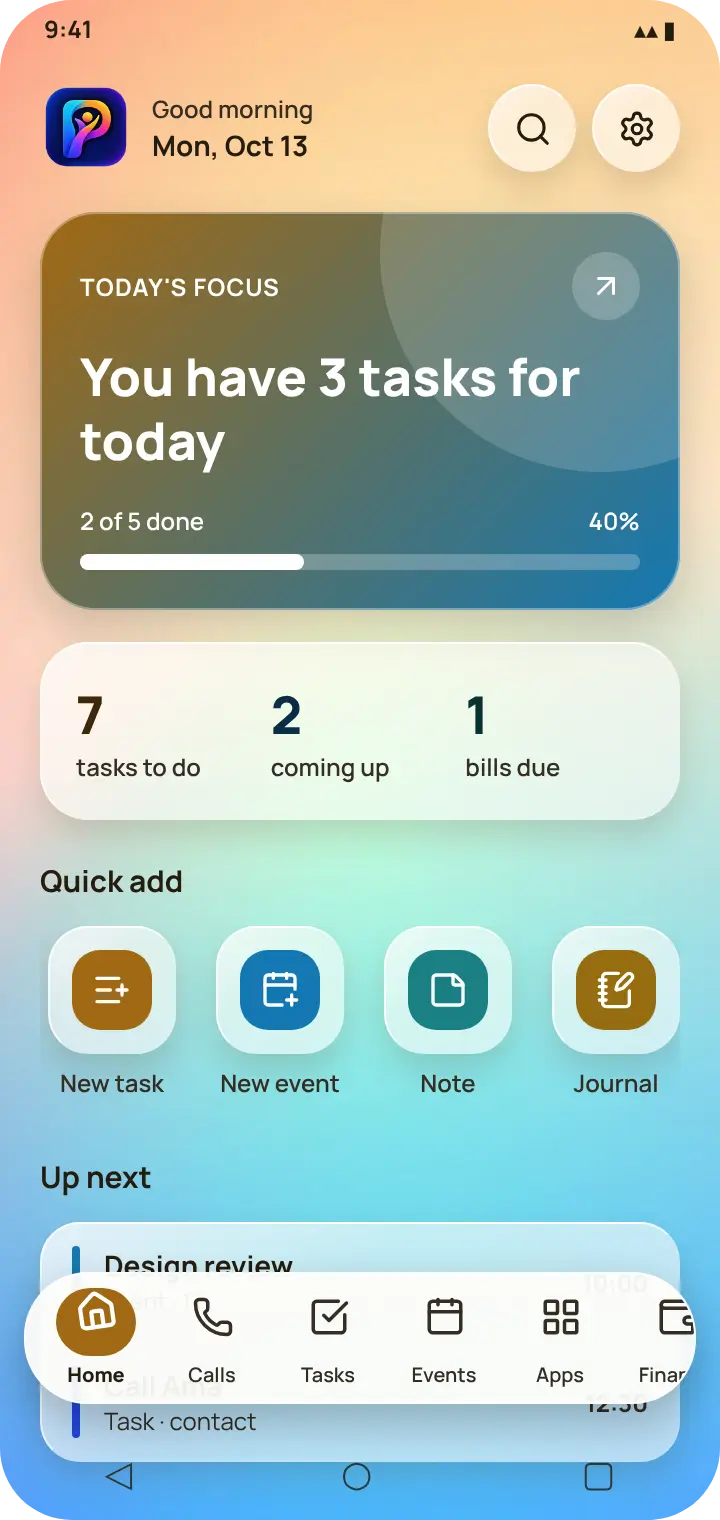
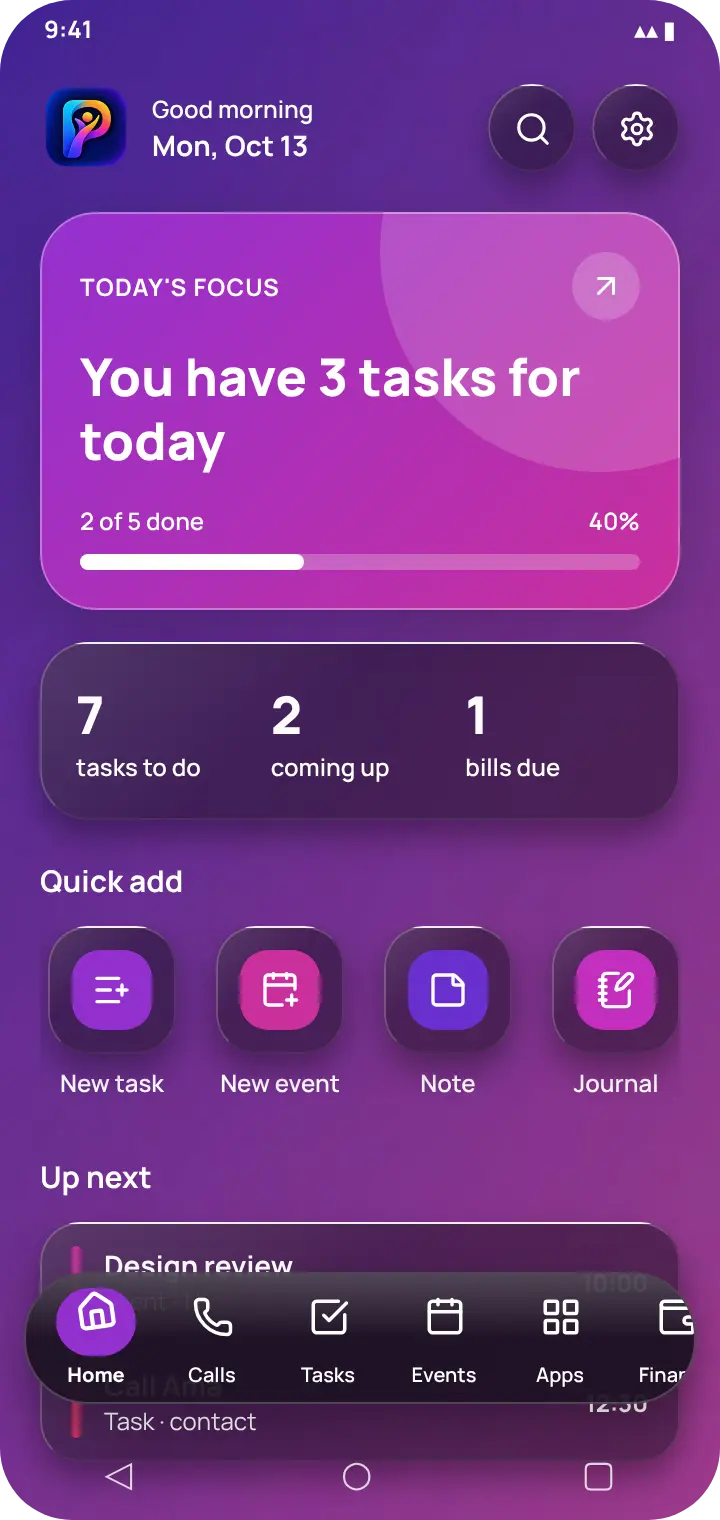
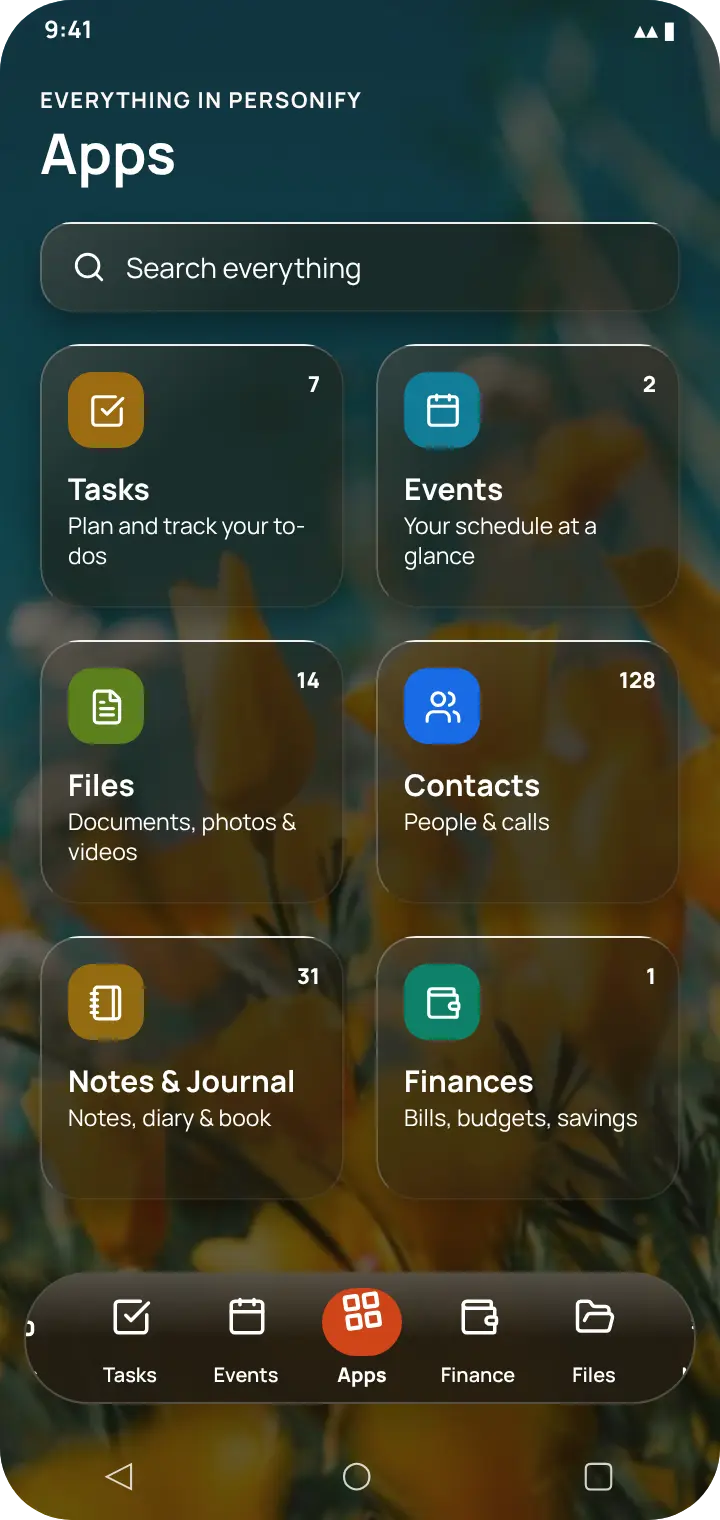
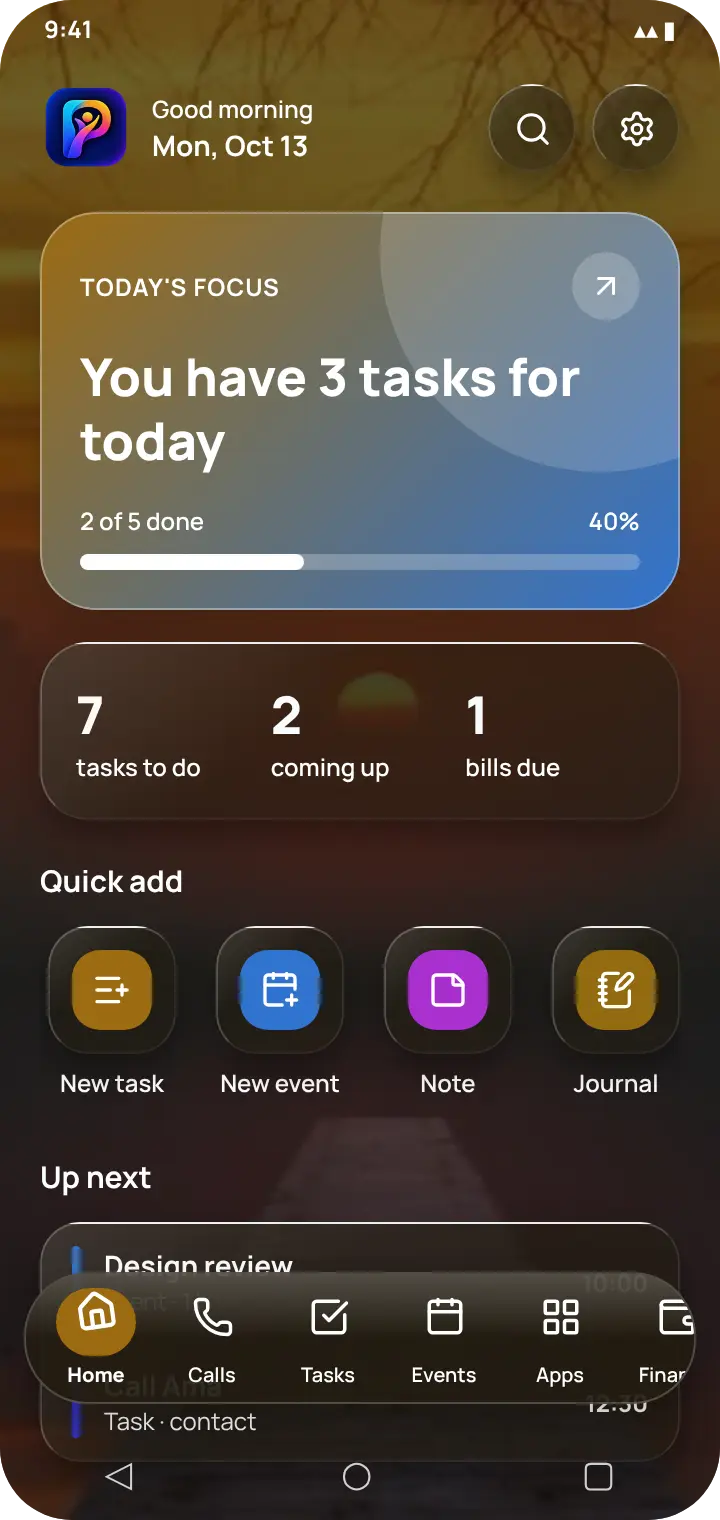
Home — your day at a glanceHome in the light themeApps — every sectionTasks, with the navigation barPick your look
/ Lucid theme
Your wallpaper, your theme
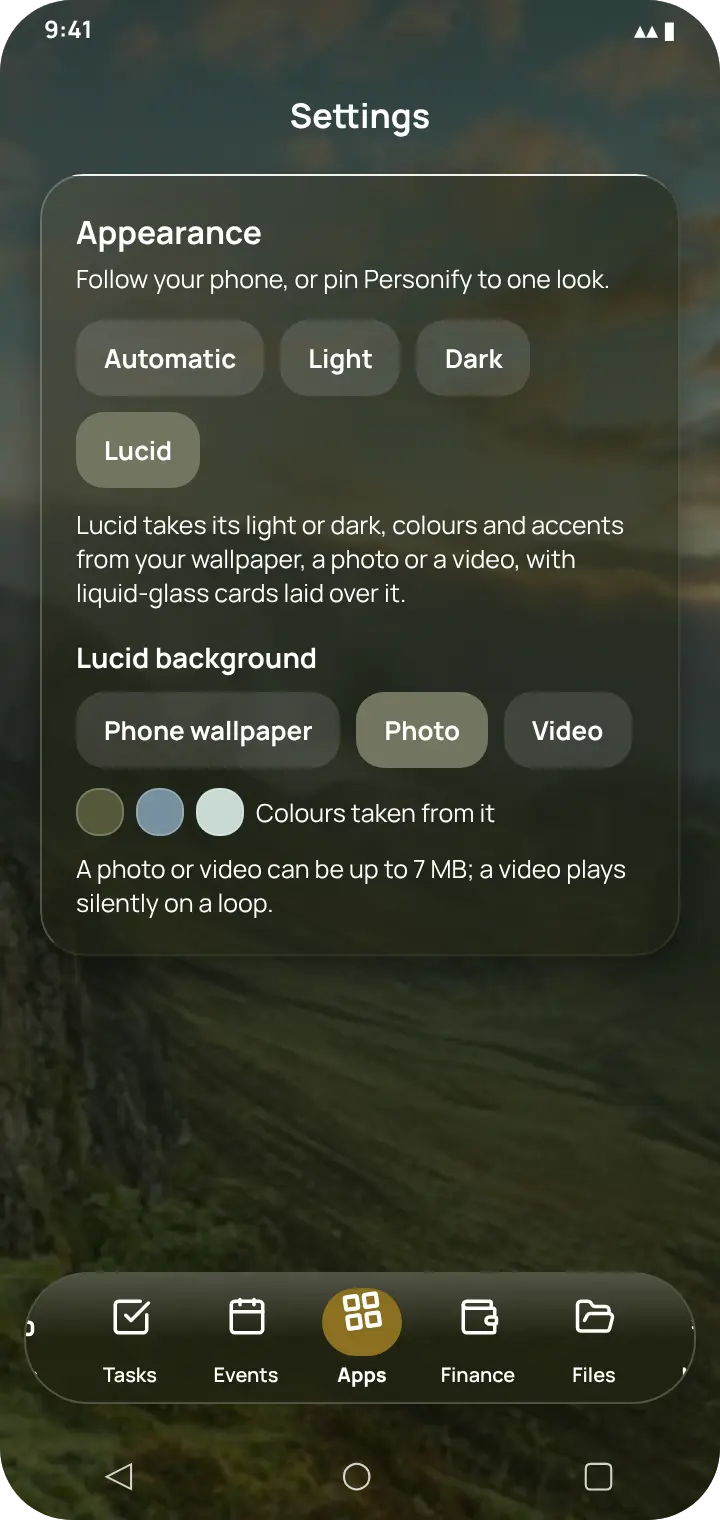
Choose Lucid and the whole app takes its light or dark, colours and accents from your wallpaper — or from a photo or video you pick — with liquid-glass cards laid over it.
Night sky → deep blueBeach → light and sandySunset → amber and redPastel gradient → lightPurple → purple and magentaFlowers → gold and tealA video backgroundChoose wallpaper, photo or video
/ Features
Everything Personify does
A home screen for your day
Open the app and see what matters today, with every section one tap away.
Today's focus: how many tasks are left, with a progress bar
Counts that need acting on: tasks, events coming up, bills due
Quick add for a task, event, note, journal entry or expense
A floating glass navigation bar on every screen, above your phone's own buttons
Reopens on the screen you left
Tasks, to-do lists and reminders
A to-do list with alarms that actually ring, even when the app is closed.
Due dates, priorities, subtasks and checklists
Repeating tasks: daily, weekly, monthly or your own pattern
Tasks that start a call or a message to someone at the right time
Postpone with one tap — and see which tasks you keep putting off
Task history, so finished work is never lost
Calendar, events and birthdays
Plan your days, weeks and months, and never miss a birthday.
Day, week and month views
Recurring events, with single occurrences you can move on their own
Reschedule, fulfil or cancel — your history keeps the difference
Birthday reminders from your contacts
Contacts and a full phone app
Make Personify your phone app: dial pad, call screen, call blocking and more.
Dial pad with +, pause and wait; service codes like *124# run directly
Speed dial, call recording, group calls and video calls
Hush Mode: Do Not Disturb for chosen people, with a text reply
Ghost or block numbers, and automatic call retries
Caller info for unknown numbers, voicemail and Wi-Fi calling
Quick messages by SMS or WhatsApp, ringtones and call screen backgrounds
Call insights
See who you really talk to, and who you are drifting away from.
Calls, talk time, pick-up rate and streaks
Your inner circle, keep-in-touch goals and people you are drifting from
Weekly trends and when you usually call
Filter by day, week, month or year, and go back to any earlier period
Notes, a diary and a journal you read like a book
A private diary app with mood, highlights and reflections — and an e-book reader for your own life.
Notes built from text, checklists, photos, voice notes, files and links
Daily journal with mood, highlights, tags and a reflection
Journal book: read entries as chapters with paper, sepia and night pages, bookmarks and page turns
Lock any note or diary entry with a password
Documents and files
Keep IDs, receipts, certificates and photos in one organised place.
Import from your files, gallery, camera, Google Drive or WhatsApp
Categories and folders, both at once
Expiry reminders for passports and ID cards
Encrypt any file, or move it into the Vault
Money: expenses, bills, budgets and savings
An expense tracker and budget planner that needs no bank login.
Expenses and income with categories and filters
Bills with due dates and repeats; paying one logs the expense
Budgets, savings goals with projections, and assets
Financial insights by day, week, month, quarter, half-year or year
Lucid: a theme made from your wallpaper
Personify takes on your wallpaper's light or dark, its colours and its accents, with liquid-glass cards laid over it.
Use your phone's wallpaper, or choose a photo or a short video (up to 7 MB)
A light wallpaper gives a light app; a dark one, a dark app
Every accent comes from the picture's own colours
Text stays readable on any wallpaper, measured against its brightest and darkest parts
A video background plays silently on a loop and pauses when you leave the app
Privacy, Vault and backup
Your data stays on your phone, and only you hold the key.
No account, no server, no tracking
App Lock with PIN or fingerprint, per section
Vault and encryption with Argon2id and AES-256-GCM
Backup and restore to your own Google Drive, OneDrive, Dropbox or any cloud — password-protected if you like
Universal search across everything you keep
/ Use it as
One app, many jobs
An offline to-do list and reminder app
Tasks with alarms that ring on time, with no internet and no sign-in.
A diary app with a password
Write a private journal and lock entries with real encryption, not just a PIN screen.
An expense tracker and budget planner without an account
Track spending, bills, budgets and savings without connecting a bank or creating a profile.
A document organiser for IDs and receipts
Keep passports, certificates and receipts together, with reminders before they expire.
A phone dialer and call blocker for Android
A dial pad, call screen, call recording, blocking and Do Not Disturb for chosen people.
A planner that matches your wallpaper
Lucid re-themes the whole app from your wallpaper, a photo or a video — in liquid glass.
A personal organiser that keeps data on your phone
One app instead of six, and none of it leaves your device unless you back it up yourself.
Yes. Personify Life is free to download on Google Play, with no ads and no account.
Does Personify need the internet?
No. Every feature works offline. The only things that use the internet are ones you start yourself, such as looking up an unknown caller or saving a backup to your own cloud.
Where is my data stored?
In the app's own private storage on your phone. There is no Personify server, so nothing is uploaded, synced or shared.
Can I lock my diary, notes and files?
Yes. Move them into the Vault, protected by your PIN or fingerprint, and encrypt them with a separate password using Argon2id and AES-256-GCM.
What happens if I forget my encryption password?
It cannot be recovered, and neither can anything still encrypted with it. The password is never stored anywhere — that is what makes the encryption real.
Can I move my data to a new phone?
Yes. Back up to one file in Google Drive, OneDrive, Dropbox or any cloud — by hand or automatically every day or week — and restore it on the new phone.
Can Personify replace my phone app?
Yes. Make it your default phone app for its dial pad, call screen, call recording, blocking, Hush Mode, voicemail and call insights.
What is the Lucid theme?
A see-through theme: your wallpaper shows behind the app, and Personify takes its light or dark, colours and accents from it, with liquid-glass cards on top. Text is kept readable whatever the wallpaper.
Can I use my own photo or video as the background?
Yes. In Settings > Appearance, choose Lucid and then a photo or a video of up to 7 MB. The app takes its colours from it, and a video plays silently on a loop.
Which languages does Personify support?
English, Spanish, French, Portuguese, German, Arabic, Hindi, Indonesian and Swahili.
Get Personify Life
Free on Android. No account, no ads — just install and start.